Free WiFi Captive Portal: What You Actually Get
Free options exist. Here's an honest look at what they include, what they don't, and when paying $15/month makes sense.
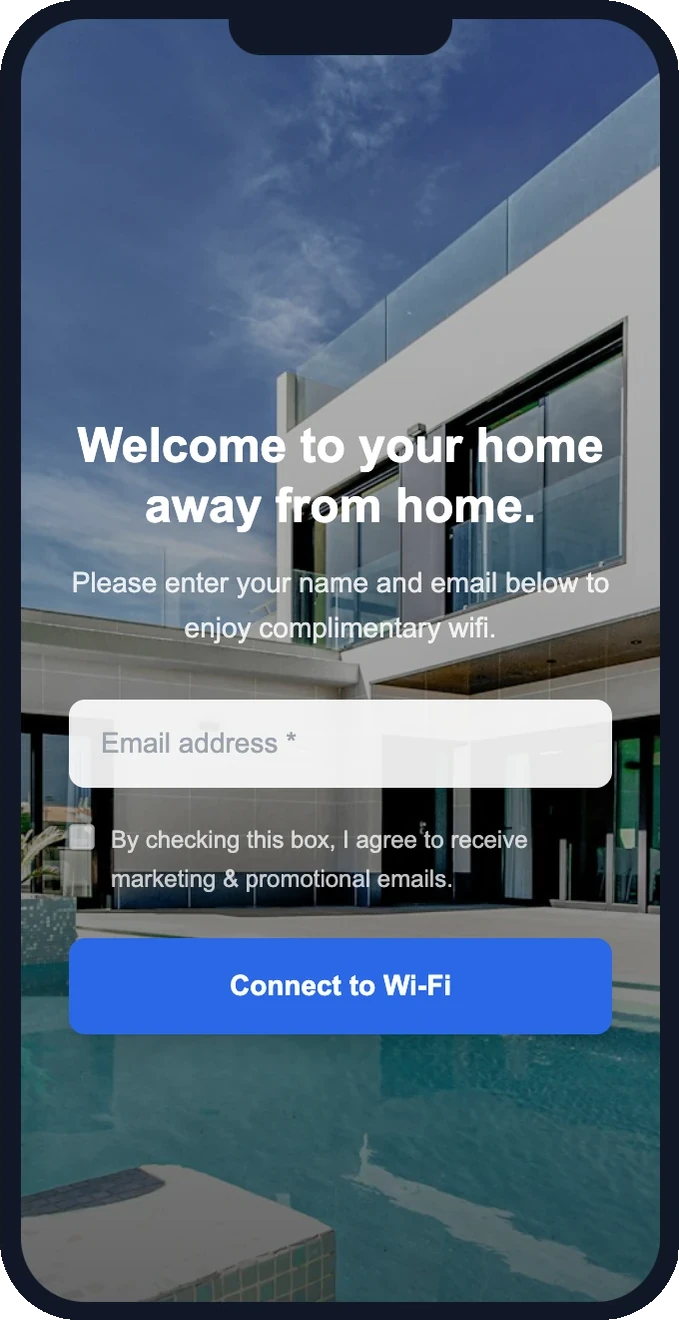
If you search "free captive portal," you'll find options. Some routers have a basic portal built in. Open-source projects exist. A few SaaS tools offer a free tier. But "free" always comes with trade-offs — and for most businesses, those trade-offs cost more than $15/month in missed opportunities.
What free captive portals typically include
- Basic splash page — a simple form (often not customizable beyond a logo upload).
- Email collection — you get the emails, but stored where? Often in a CSV you export manually.
- Limited branding — a generic template, or "powered by [provider]" branding you can't remove.
- No email marketing — you collect emails but have no built-in way to send campaigns.
What free captive portals typically lack
- Professional splash page templates — the difference between a login page that looks trustworthy and one that feels sketchy is design quality. Free tools rarely invest in this.
- Automated email campaigns — the whole point of capturing emails is to send promotions. Without built-in campaigns, you need a separate tool (Mailchimp, etc.) and manual export/import workflows.
- Post-connection homepage — after connecting, free portals show nothing (or their own branding). Paid tools let you show your menu, offers, or booking link.
- GDPR consent logging — legally, you need a consent record (text, timestamp, IP) for every contact. Free tools often don't store this.
- Support and setup help — you're on your own for configuration. If something breaks, there's no one to email.
- Reliability — free tiers are the first to be deprecated, rate-limited, or shut down.
The hidden cost of "free"
Consider: if your free captive portal captures 50 emails/month with a generic splash page, but a properly branded one would capture 80 (because it looks professional and trustworthy), those 30 missed emails per month represent 30 customers you can't re-market to. If even 5% of those came back for a $20 average spend, that's $30/month in lost revenue — already more than a paid portal costs.
And that's before counting the time you spend manually exporting emails, setting up a separate email tool, and dealing with issues that have no support channel.
Ready to see this in action?
Set up takes 15 minutes. Free — we configure everything for you.
When free makes sense
Free captive portals can be fine if:
- You're just testing the concept and don't care about branding yet.
- You have fewer than 10 customers/day connecting to WiFi.
- You already have a separate email marketing tool and don't mind manual exports.
- You're comfortable with self-setup and troubleshooting.
When $15/month is worth it
A paid captive portal makes sense the moment you want to:
- Look professional — a branded splash page that matches your business builds trust.
- Send promotions from the same tool — no exporting, no third-party wiring.
- Capture more emails — professional design = higher completion rates.
- Stay compliant — automatic consent logging, one-click unsubscribe, IP tracking.
- Save time — everything in one dashboard, zero manual work.
- Get help when you need it — free setup, real support, someone to email.
Our approach
GuestWiFi offers free setup (we configure your access point and splash page at no charge) and a 5-day free trial with full access to every feature. After that, it's $15/month per access point — everything included, no tiers, no "powered by" branding on your splash page, and real human support. That's the honest trade: $15/month for a tool that captures more emails, sends campaigns, and runs on autopilot.
Start capturing customer emails today
$15/month per access point. All features included. We set it up for you — free.
Get Started — Free Setup →No credit card required · Cancel anytime