Coworking Space WiFi Portal: Member Database on Autopilot
How coworking spaces use WiFi portals to build member databases, promote events, track usage, and differentiate day-pass visitors from regulars.
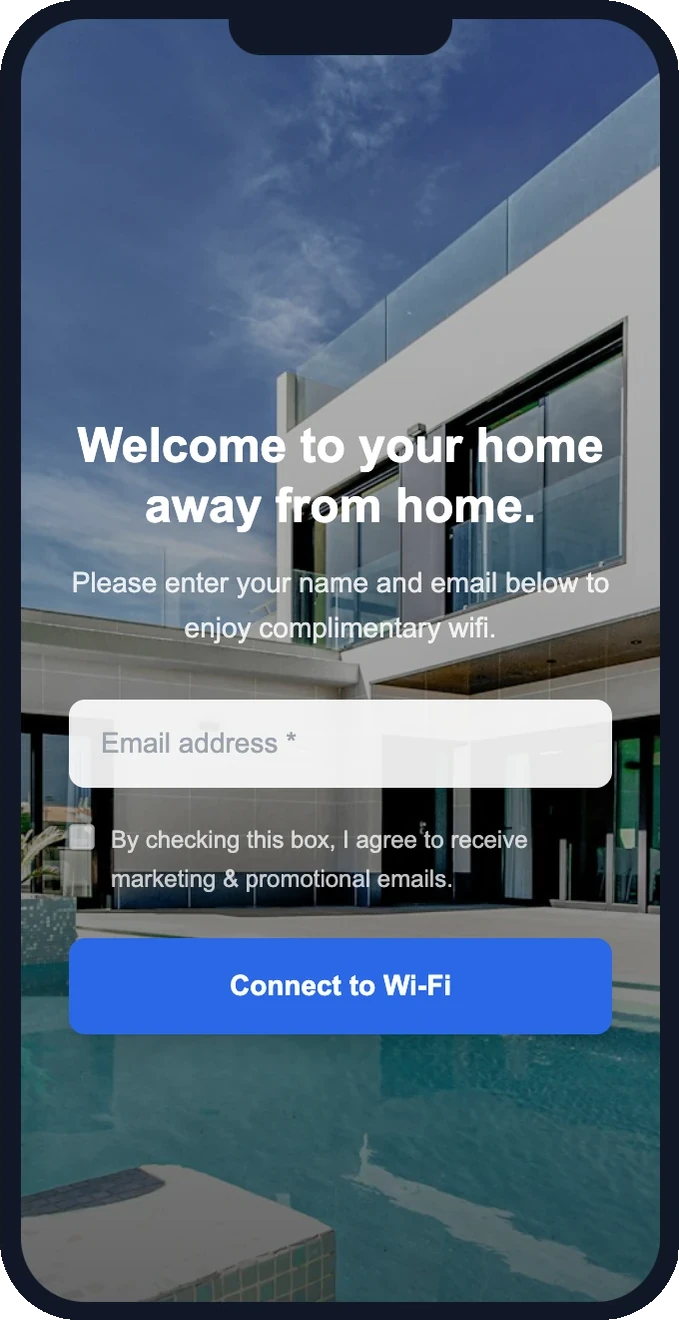
WiFi is the product at a coworking space. Without reliable internet, the space is just a room with tables. But most coworking spaces treat WiFi as infrastructure — a password on the wall and nothing more. A coworking wifi portal transforms your most essential amenity into a member management tool that builds your database, promotes events, and tracks usage patterns without any manual effort.
Build your member database automatically
Every person who works from your space connects to WiFi. With a captive portal system, that connection becomes a data capture event. New visitors enter their email on your branded splash page. Returning members are recognized automatically and logged in without friction.
Over time, you build a complete database of everyone who's ever used your space — members, day-pass buyers, trial visitors, and event attendees. No sign-in sheets, no front desk data entry, no apps to download. The WiFi does the work.
What the database gives you
- Contact information — email for every person who's connected
- Visit history — timestamps showing when each person was in the space
- Frequency patterns — who comes daily vs. occasionally
- First visit date — track when someone discovered your space
- Last seen — identify members who are drifting away
Promote events and community
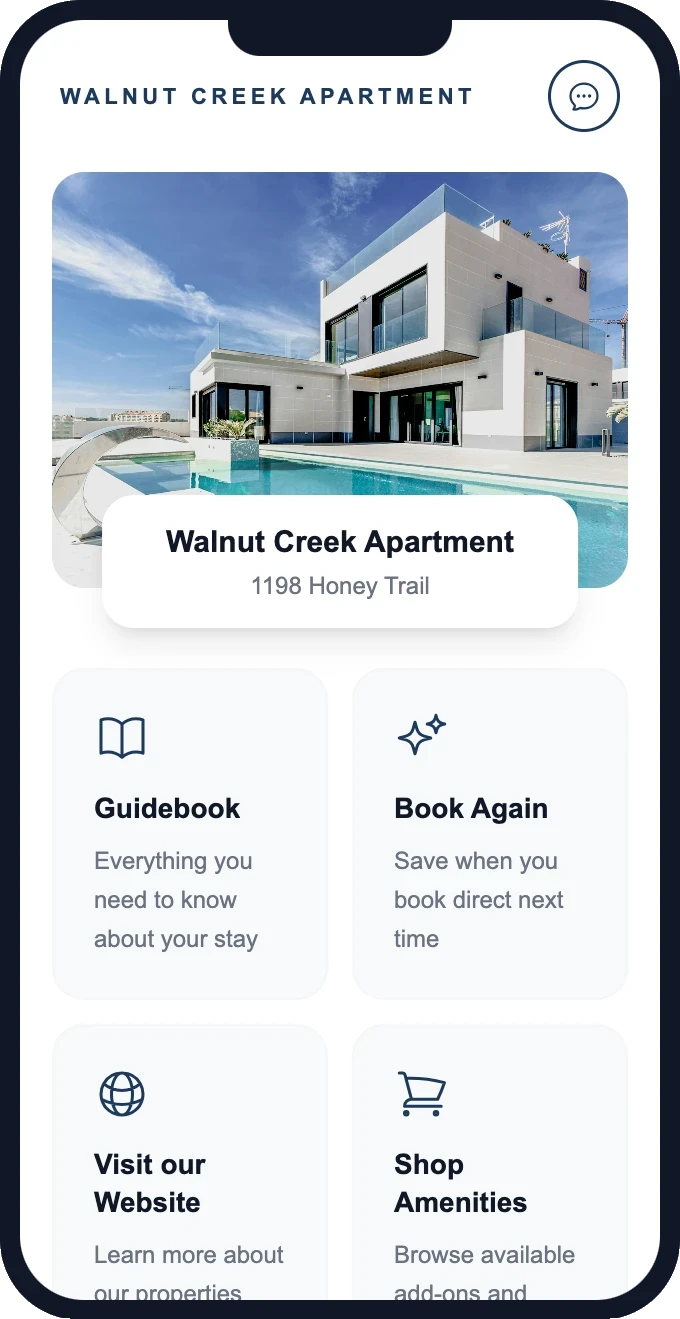
Coworking spaces thrive on community. Networking events, lunch-and-learns, happy hours, and workshops are what differentiate you from a home office or coffee shop. But promoting these events to the right people is hard without a solid email list.
Your wifi portal solves this in two ways:
Post-connection homepage
Every time a member opens their laptop or reconnects their phone, they see your custom homepage. Feature this week's events front and center. Change the content weekly without touching any settings — just update your homepage links. It's passive promotion that every single person in the space sees, every single day.
Targeted email campaigns
With your WiFi-captured email database, you can send event invitations to people who actually use the space. "Networking happy hour this Thursday at 5pm — see you there?" These emails go to people who were physically in your space this week. Relevance is high, open rates follow.
Ready to see this in action?
Set up takes 15 minutes. Free — we configure everything for you.
Track usage patterns
Understanding how your space is used helps you make better decisions:
- Peak hours — when is the space fullest? Do you need to add hot desks or limit day passes?
- Quiet periods — when could you offer discounted rates or host events?
- Member retention signals — if a monthly member's visits drop from 4x/week to 1x/week, they might be about to cancel. Reach out before they do.
- Day-pass conversion — how many day-pass visitors become monthly members? What's the typical timeline?
All of this comes from WiFi connection data — no surveys, no manual tracking, no expensive occupancy sensors.
Day-pass vs. member flows
Not everyone in a coworking space is a monthly member. Day-pass buyers, trial users, and guests of members all need WiFi access — but the experience should differ. A well-configured coworking space wifi portal can differentiate:
New visitors (day-pass flow)
First-time connectors see the full splash page: email capture, welcome message, and a post-connection homepage highlighting membership benefits and pricing. The homepage becomes a passive sales pitch that every day-pass visitor sees without any staff involvement.
Recognized members
Returning members are automatically authenticated based on their device. No re-entry of email required. They land directly on the member homepage with event listings, room availability, and community announcements. The experience is frictionless — just open your laptop and you're connected and informed.
Converting day-pass to monthly
Since you capture day-pass visitor emails, you can run automated follow-up sequences: "Thanks for visiting today. If you come 4+ times a month, our membership saves you money. Here's a link to sign up." Trigger this after their second or third day-pass visit when conversion intent is highest.
Communicate room availability
Many coworking spaces have bookable meeting rooms, phone booths, or event spaces. The post-connection homepage is an ideal place to show real-time availability or link to your booking system. Members check availability from their phone every time they reconnect — which eliminates "is the meeting room free?" questions at the front desk.
Reduce churn with engagement data
Member churn is the biggest challenge for coworking spaces. A member who cancels was probably disengaging for weeks before the cancellation email. WiFi data shows you this in real time: declining visit frequency is the strongest signal that a member is at risk. Send a personal check-in ("Haven't seen you much lately — everything okay? Anything we can improve?") before they make the decision to leave.
Setup for coworking spaces
- Configure your existing access points to redirect to the captive portal system
- Design a splash page with your coworking brand and a "Connect to WiFi" CTA
- Build a member homepage with events, room booking links, and community updates
- Set up automated emails: welcome sequence for new visitors, event announcements, re-engagement
- Export contacts to your CRM or community platform for deeper engagement tracking
Getting started
Your members already connect to WiFi every day. With GuestWiFi, that connection builds your database, promotes your events, and gives you usage intelligence — all on autopilot. $15/mo per access point, free setup, works with your existing hardware. Turn your WiFi from infrastructure into insight.
Start capturing customer emails today
$15/month per access point. All features included. We set it up for you — free.
Get Started — Free Setup →No credit card required · Cancel anytime